Perfect Plan for Starter
1
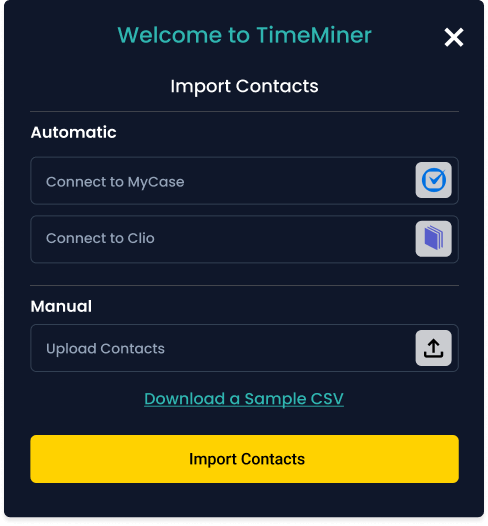
Import contacts
Upload a CSV from your practice tools or your phone. We
match names, emails, and numbers automatically.
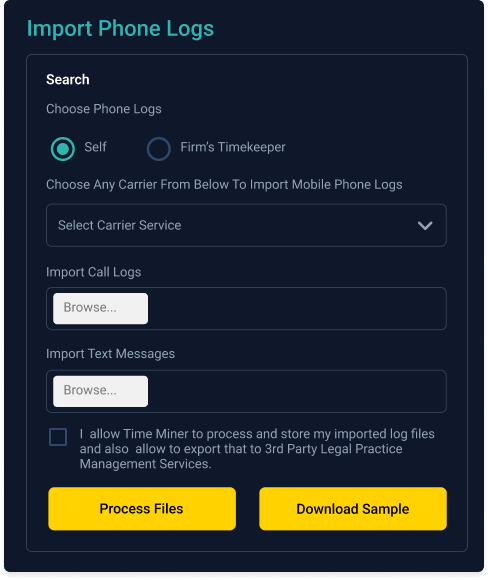
Time Miner finds billable calls, emails, and texts tied to your clients and matters. No timers. No manual logs. Just accurate entries ready to review.
Ready to start your free month? Enter your email to get started.


Every plan pays for itself by recovering missed billable time. Choose the billing cycle that maximizes your savings.
All plans include: Email & call mining • 30-day history • Clio & MyCase integration • AES-256 encryption • Email support
Each step slides in as you scroll with alternating layout for a clear walkthrough.

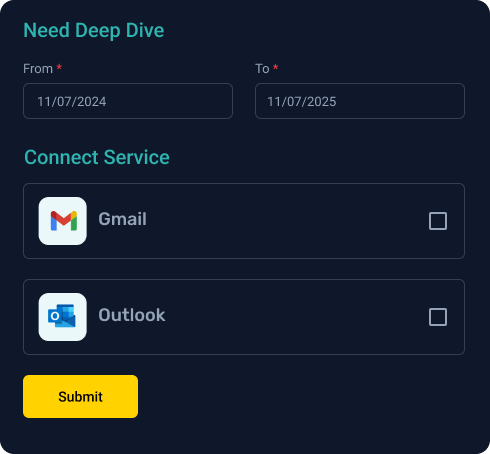
Historical mining for emails and related activity tied to your clients and matters. Ideal for audits, fee petitions, and arbitration support where proof of value matters.
Enter your hourly rate to see how much you're losing with just one lost hour per week.
After Time Miner's $49.99/month cost. Assumes 1 lost hour per week.
Start Free MonthWatch how Time Miner automatically captures your billable time from emails, calls, and texts.

Time Miner was founded by two practicing attorneys and an
information technology executive. Based in Nashville, Tennessee, we
understand the daily challenges of capturing billable time in a busy
legal practice.
Our team recognized that traditional time tracking methods were
failing attorneys, leading to significant revenue loss. We created
Time Miner as the first ever automatic, retroactive time capture
tool designed specifically for the legal industry.
Our clients share how Deep Dive transforms their legal workflow. From billing clarity to seamless documentation — proof speaks here.

Ut enim qui libero u.p
Excepturi molestiae .p
Learn how to maximize your billable time and improve firm profitability.

Quos modi cupidatat “Smart quotes” and ‘single quotes’ should be preserved correctly. T...

Heading into 2025, law firms adopted policies allowing their employees to return to the office, work from home, or a combination of both. Optimism acc...

Kernel Equity Partner Time Miner's billing app for attorneys is now a cloud-based app with a new website. Moving to a software-as-a-service model offe...
Clear answers to help you move forward with confidence
If you're having technical difficulties, have questions, or just feel like chatting please send us a text at 615-429-0383 or email us at support@timeminerapp.com.
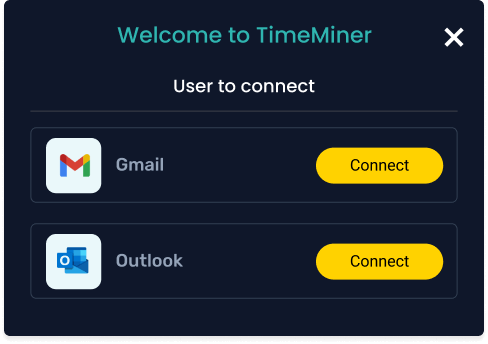
Connect your Services (Outlook, RingCentral, Clio, etc) during registration/setup.
First, make sure you have connected Time Miner to Clio. Check the 'Services' tab. Second, make sure you have associated your Time Miner contacts to matters in Clio. Do this by tapping the three dots next to the contact's name, tapping "add Clio matter," and selecting the appropriate matter from the list that pops up. Please note that time entries exported to Clio may take up to 45 minutes to appear in Clio.
Click on the ‘+’ symbol in the lower right corner of the app to add contacts. You can either add contacts manually one at a time, or select multiple contacts that will be pulled from your phone.
Yes! Simply click on the contact, select the date parameters, and hit the paper airplane. A report will be sent to your email address instantaneously.
Rest easy, if this happens you’ll just need to disconnect and reconnect to RingCentral on your profile page.
For you to take a photo for your profile pic!
Go to the “Services” page, make sure your email account is connected to Time Miner. If it appears to be connected, try disconnecting and reconnecting. Time Miner periodically “times out” connections for your security. Also, make sure the email address for each contact in Time Miner is the same as your contact’s email address. Email addresses are case-sensitive!
Connect your Services (Outlook, RingCentral, Clio, etc) during registration/setup.
Deleted emails, texts, and calls will not show up in Time Miner reports.
New users may experience a delay in the first data “fetch.” After this initial fetch, Time Miner processes data much faster.
First-time users fetching past emails can only go back 30 days for your initial “mining”. Example: if it’s September 30th today, you can only go back and find emails back to August 30. After that initial “fetch”, you will always be able to go back to that August 30th date.
Time entries exported to MyCase / Clio may take up to 45 minutes to appear in MyCase / Clio.